QuickShop ShopsHow do I make a shop?
Easily! Here is a quick video tutorial.
QuickShop CommandsGetting Started
FIRST: Place your chest down!
➥Hold the item you want to sell and look at the chest.
➥While looking a the chest do /qs create [price], Example: /qs create 20 - item will be sold for $20
➥Need to adjust the price? do /qs price [price], Example: /qs price 100 - item is adjusted to $100
➥To remove a shop simply /qs remove while looking at the chest.
➥Left click the sign to see information about the shop and to BUY items. When you click the shop, if you wish to buy, enter the amount you want in chat!
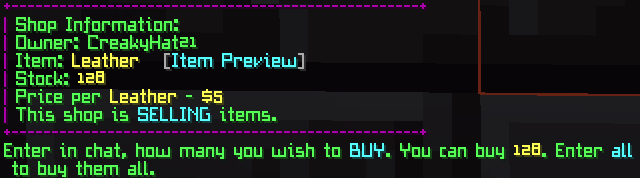
Example: This player is selling leather for $5 EACH with a stock of 128
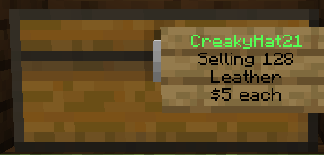
PlayerWarps | PwarpHow do I make a Pwarp?
FIRST: Find a location for your Pwarp!
➥While in your desired location do /Pwarp create [name], Example: /Pwarp create potions
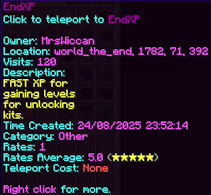
➥Creating a Pwarp will cost you in-game $$, current price to create is $1000.00, Limit of 2 per player.
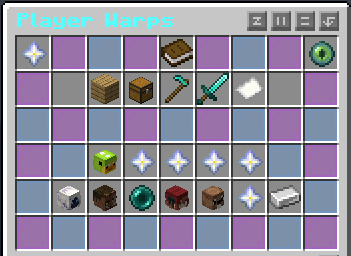
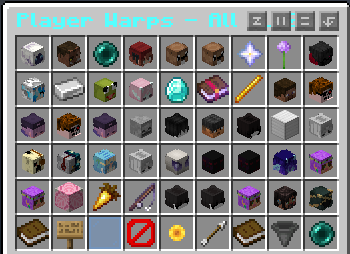
➥To view all the pwarps available just /Pwarp, this opens the GUI, click the book for ALL warps.
Pwarp CommandsOther things to customize your Pwarp
➥You may enter a description for your shop using /Pwarp desc set [yourwarp] [your text] Example: /Pwarp desc set potions A shop with potions! (you may also use color codes in description)
➥You may also set an icon for your shop, hold the item you wish to use, do /Pwarp icon set [yourwarp]
➥To rate others Pwarps use /Pwarp rate [pwarp] [rating 1-5] [description (optional)] Example: /pwarp rate potions 5 Well stocked.
➥If you wish to rename your pwarp you can /Pwarp rename [yourwarp] [newname]
➥To give ownership to another player do /Pwarp setowner [yourwarp] [player] Example: /Pwarp setowner potions MrsWiccan, this will give your pwarp to MrsWiccan.
➥If you simply don't wish to have a Pwarp anymore you may remove it using /Pwarp remove [yourwarp]
Auction HouseHow to sell on Auction House
FIRST: Hold the item for sale in your hand!
➥Then just /Ah sell [price], Example: /Ah sell 100, this will place the item in the AH for $100.
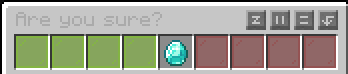
➥A GUI will appear for confirmation. Green glass (left) for yes, red (right) for no.
AH CommandsBuying and other operations
➥/Ah will open up the Auction House GUI.
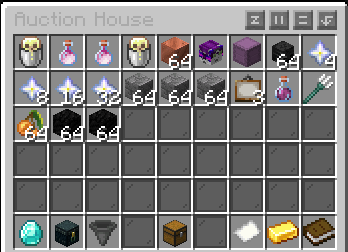
➥Browse items and hover over them for price, decriptions and time left.
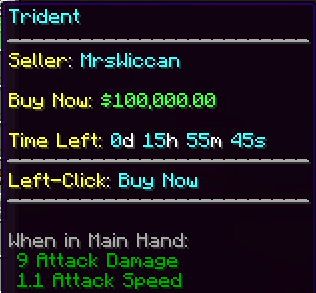
➥To buy simply, left click buy now. A confirmation will then appear. Green glass (left) for yes, red (right) for no.
➥To see your active listings you can /Ah active.
➥To see your expired listings you can /Ah expired.
➥Looking for something specific? You can hold the item then /Ah request [price]. Example: You need another diamond, if you hold one then /ah request 100, you now have a request to buy a diamond for $100 from another player.